
Gas stations
Kerosene canisters for the plane plus water, food and soda — the reliable fuel stop.
Stranded in a vast desert, restore an aging airplane, scavenge supplies, and take to the skies while trying to keep your journey alive.
Game Updates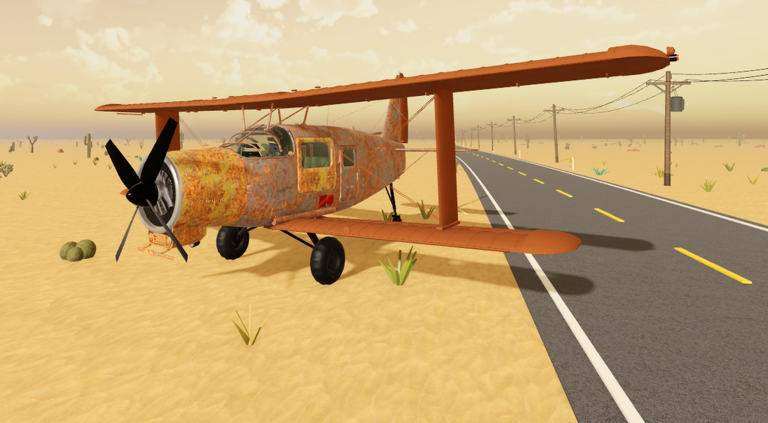
From the lobby to your first takeoff: rebuild Rusty, pour the kerosene, install the ignition last and go full throttle down the road.
You spawn in the starting hangar
Rusty rebuilt — doors, propeller, wheels, engine
Tank reads up to 100L
Engine ready to crank
First takeoff
Browse flight guides, scavenging routes, desert survival help, plus the game codes and updates pages.
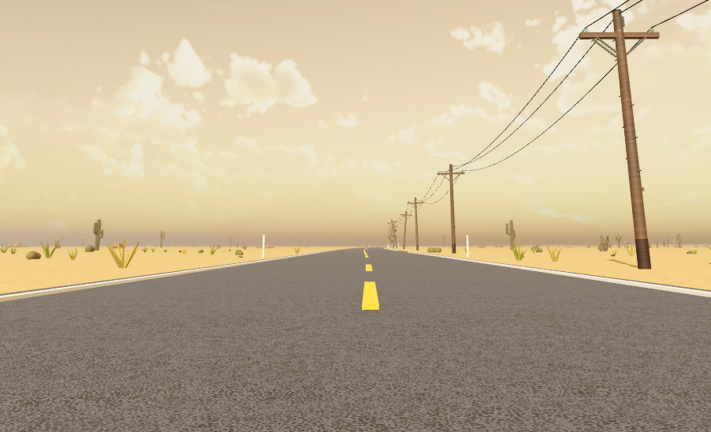
A Long Flight is an early-access survival experience on Roblox by VSC Games, set across an expansive sandy landscape with deserted locations. Rather than following a fixed route, players choose where to travel and try to keep their aircraft operational for as long as possible.
Explore Desert LocationsDeveloper
VSC Games
Platform
Roblox
Genre
Survival
Created
Sep 30, 2026
Setting
Abandoned desert
Starting Vehicle
Old airplane
Journey Goal
Keep flying and survive
Max Players
16
Every stop works the same way — follow the road on the radar, land, clear the zombies, load the cargo and take off again.
Follow the road shown on the radar toward the next building.
Touch down close to the building and stop the engine before you get out.
They guard the loot and come back over time — clear them before searching.
Kerosene, water, food and medicine go into the cargo room.
Doors closed, hold [M] from the pilot seat, full throttle down the road.
Every stop refuels and resupplies the next leg — full throttle down the road, back into the air.
[F] to rebuild, hold [R] to refuel, [E] to board, hold [M] to start — the whole ground phase at a glance.
| Control | When you use it | What it does |
|---|---|---|
| [F] | Looking at a detached door, wheel or propeller | Picks the part up |
| [F] | Holding a part on its blueprint until it turns green | Installs the part |
| Hold [RMB] + move mouse | While carrying a part | Rotates the part |
| Hold [F] | Looking at an installed door | Removes it again |
Gas stations, abandoned buildings, a small airport and spare planes — what each desert stop is for.
Kerosene canisters for the plane plus water, food and soda — the reliable fuel stop.
Medicine, bandages, weapons and food; a furnished house can even serve as an overnight stop.
A landmark worth checking when fuel runs low; treat it as promising, not guaranteed.
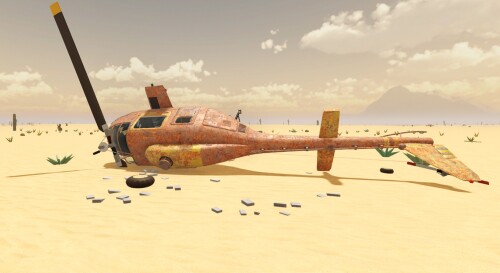
A wreck can hide a better, flyable replacement plane with fuel already aboard.
Four jobs in order — parts on, tank topped, ignition last, engine start.
Carry each part to its blueprint, hold until it turns green, press [F].
Hold a canister at the red CARGO-side fuel cap and hold [R] to pour.
Follow the yellow IGNITION waypoint — the ignition always goes in last.
Sit with [E] and hold [M], or look at the ignition and hold [M].
Gas stations for kerosene, buildings for survival supplies — grab it with [E], stow it, move on.
Kerosene canisters for the plane plus water and food — one station turned up about three canisters.
Look at supplies and press [E]; kerosene canisters are picked up with [F] and can attach straight to the plane with [Q].
Kerosene, water, food and medicine ride in the plane's cargo room — close the door before takeoff.
Locked fridges, cabinets and doors stay shut; the useful loot sits out on shelves and floors.
Zombies, lightning, tornadoes, torn-off parts: the real interruptions and the working responses.
Clear them with the gun, loot fast and take off before they respawn.
Plan a forced landing — no field fix restarted the engine in the shown incidents.
No countermeasure is shown — keep an eye on the sky while your plane is parked.
Reattach on the spot: hold each part on its blueprint until green and press [F].
Keep flying — the struck plane continued and landed afterwards.
Follow the road and the radar in the air; use a flashlight on the ground.
There are no charts — your fuel gauge and the visible buildings choose the route for you.
Current code availability, rewards and source-check dates.
No codes are currently reported working.
Answers to common questions about A Long Flight.
Get oriented with the desert-flight survival premise, or open the official Roblox game and begin your journey.