
A Long Flight Controls: How to Prepare, Board and Start the Plane
The controls that prepare, board and start the airplane in A Long Flight, and what each one does — [F] to install parts, hold [R] to refuel, [E] to sit, hold [M] to start the engine.
Quick answer
Press [E] to sit in the pilot seat, then hold [M] to start the engine. You can also stay outside, look at the ignition and hold [M]. Before boarding, [F] picks up and installs the detached plane parts, and holding [R] pours kerosene into the tank.
- [F] — pick up a detached door, wheel or propeller, then install it at its green blueprint spot
- Hold [RMB] and move the mouse — rotate a part while carrying it
- Hold [R] — pour kerosene in at the red fuel cap on the CARGO side
- [E] — sit down in the pilot seat
- Hold [M] — start the engine
A Long Flight makes you rebuild, fuel and start the plane with your own hands, and every step shows its own prompt on screen. Here is what each control does, in the order you will need it.
Every control at a glance
| Control | When you use it | What it does |
|---|---|---|
| [F] | Looking at a detached door, wheel or propeller | Picks the part up |
| [F] | Holding a part against its blueprint spot until it turns green | Installs the part on the plane |
| Hold [RMB] and move the mouse | While carrying a part | Rotates the part to line it up |
| Hold [F] | Looking at an installed door | Removes the door again |
| [LMB] | Looking at an installed door | Opens or closes it |
| Hold [R] | Holding a kerosene canister at the red fuel cap | Pours kerosene into the tank |
| [E] | At the pilot seat | Sits down in the seat |
| Hold [M] | In the pilot seat, or looking at the ignition | Starts the engine |
| Hold [Backspace] | During the tutorial | Skips the rest of the tutorial |
Preparing the plane: [F] to pick up and install parts
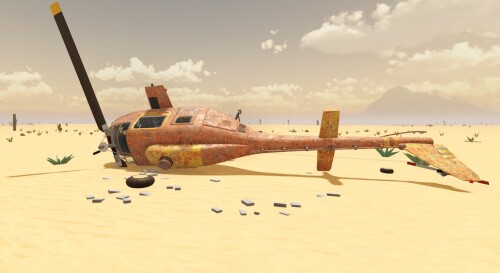
In the starting hangar, the doors, wheels and propeller begin detached on the floor. Look at a part and press [F] to pick it up — a blueprint outline on the plane shows where it belongs. Carry the part over, hold it against the outline until it turns green, then press [F] to install it; as the game puts it, it clicks in when it turns green. While carrying, hold [RMB] and move the mouse to rotate the part until it lines up.
Work through every detached part the same way, and a hint keeps count of how many are still missing. Installed something by mistake? An installed door can be taken off again by holding [F] on it, and [LMB] opens or closes it once it is back on.
Refueling: hold [R] to pour
The tank runs on kerosene carried in canisters. Take a canister to the fuselage side marked CARGO, where the red fuel cap sits, and the readout shows both what is left in the canister and how full the tank is — for example, “Kerosene canister 16.6L/20L” and “Tank 100L/100L”. Hold [R] to pour it in, and stock spare canisters so a long run never ends at an empty tank.
Boarding and starting: [E], then hold [M]
The tutorial's final step, “Start the engine” (8/8), spells out the whole sequence: walk to the pilot seat, press [E] to sit down, and hold [M] to start the engine. You do not even need to sit — look at the ignition and hold [M] instead. That is the entire start procedure; once the engine is running, the plane is ready to move. If you want that moment broken down further, see how to start the engine.
Throttle, brakes and view once the engine is running
- Throttle — this is what gets you airborne: full throttle on the takeoff road is enough for the plane to lift off. The takeoff and flight guide covers the rest.
- Brakes — very powerful. The plane can pull to a stop in about a second when they bite.
- Parking brake — a parking brake control also appears among the cockpit labels.
- Camera — a third-person outside view is available, and switching to it makes taking off more comfortable.
- Engine off — once you have landed, you can stop the engine and explore on foot.
[F] to rebuild, hold [R] to fuel, [E] to board, hold [M] to start — that is the whole ground phase. Before your next departure, run through the preflight checklist, and the first flight walkthrough takes you from there.
Related Guides
How to Start the Engine
Install everything the engine needs, sit in the pilot seat and fix the common reasons M does nothing.
How to Take Off and Fly
Taxi to the road, go full throttle and fly the radar road to your next stop to land, loot and refuel.
Preflight Checklist
Reattach every detached part, fill the kerosene tank and install the ignition last before you start the engine.