A Long Flight: How to Take Off and Fly to the Next Stop
A complete guide to taking off and flying in A Long Flight: assemble and fuel the plane, start the engine, taxi to the road, go full throttle, then fly the radar road to your next stop to land, loot and refuel.
Quick answer
Close the doors, sit in the pilot seat and hold [M] to start the engine, taxi onto the road, then hold full throttle until the plane lifts off. In the air, follow the road shown on the radar to the next building, land, clear and loot it, refuel with kerosene, and take off again with full throttle.
- Start the engine: sit in the pilot seat [E] and hold [M], or look at the ignition and hold [M].
- Take off: full throttle down the takeoff road — the plane accelerates and lifts off.
- Navigate: there are no charts; the route follows the road shown on the radar.
- Close the doors first: with a door open, [E] while seated makes your character step out.
Getting airborne in A Long Flight comes down to four things: a fully assembled plane, a running engine, the takeoff road and full throttle. Here is each step, plus how to keep flying from one stop to the next.
Get the plane flight-ready
At the starting hangar the plane is put together piece by piece before it can fly. Work through the parts, place the ignition and check the tank:
Checklist
- Tail wheel attached
- Main tires attached
- Propeller mounted
- Engine installed
- Ignition part placed
- Doors and hood closed
- Fuel tank filled
The tank can already be full at spawn, in which case no fueling is needed — check before you hunt for kerosene.
For a fuller departure routine, see the preflight checklist.
Start the engine
Sit in the pilot seat with [E] and hold [M] to start the engine, or look at the ignition and hold [M]. This is the final step of the in-game tutorial — once the engine runs, you are ready to move. The engine start guide covers this in more detail.
Taxi to the takeoff road
Taxi the plane onto the road. Two quirks define ground handling: the brakes are extremely powerful — the plane stops in about a second — and the plane cannot drive backward. If you overshoot your line-up, turn the plane around instead of trying to reverse. Switching to the outside third-person view is a comfort choice one player prefers for taxiing and takeoff, not a requirement.
One trap to avoid: if a door is open, pressing [E] while seated makes your character step out of the plane. That interrupts taxiing and can ruin a takeoff attempt, so close the doors before you sit down.
Take off with full throttle
Line up on the takeoff road, apply full throttle and keep it there. With the engine running and doors closed, the plane accelerates down the road and lifts off. The first flight walkthrough follows this same departure sequence.
Fly the route and use every stop
There are no navigation charts in A Long Flight. Your route follows the road shown on the radar, and buildings — gas stations among them — sit along it, so climb out, pick a direction down the road and fly toward the next structure. Each stop works the same way:
How the cycle works
Fly the road
Follow the road on the radar toward the next building.
Land and shut down
Touch down near the building, stop the engine and get out.
Clear the zombies
Kill the zombies around the building before looting — they respawn over time, so do not linger.
Loot and refuel
Collect kerosene, water, food and medicine, and stow kerosene canisters in the cargo room.
Take off again
Close the doors, restart the engine and go full throttle down the road.
Every stop ends the same way — full throttle down the road, back into the air, and on to the next building.
Refuel with kerosene
Kerosene, found in canisters at gas stations, is a fuel for the plane. Carry spare canisters in the cargo room so you can refuel mid-journey. To pour, stand at the fuselage side marked CARGO with the red fuel cap while holding a canister and hold [R]. The fuel screen shows the tank level — a full tank reads 100L/100L — and how much is left in the canister. The scavenging guide covers the supply side in more depth.
Read the cockpit tablet
The cockpit tablet holds airplane-style controls: toggles for the parking brake, lights, view and weapon mode, plus gauges for speed, compass, altitude, fuel and mass. One extra gauge is not clearly labeled — it is probably vertical speed. Key bindings and other interfaces are collected in the controls guide.
When parts tear off
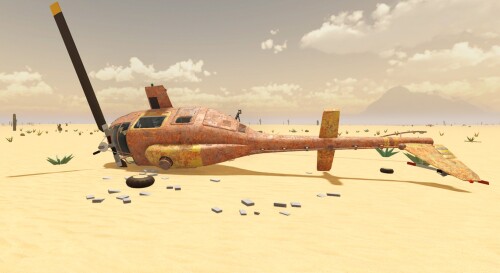
Hard landings and collisions can knock parts loose — wings, doors, the engine cover, the propeller and wheels have all come off in crashes. Detached wings and doors can be picked up and reattached, and the plane restored enough to take off again with full throttle. A propeller torn off in a collision can ground the plane — in one session a pole strike tore the propeller off and left the player saying the plane could not fly anymore until it was repaired. Land gently, and if parts come off, pick them up and reattach them before your next flight.
Related Guides
Navigation Guide
Pick a flight direction with no map, trust the right cockpit gauges and choose your next landing spot.
Scavenging Guide
Land at gas stations for kerosene and search abandoned buildings for supplies while clearing zombies along the way.
Longest Flight
Run the gas-station loop for kerosene, water and food, land gently and leave before zombies respawn.