
A Long Flight Navigation Guide: How to Pick a Direction and Where to Fly Next
A Long Flight has no map or waypoints. Learn how to pick a flight direction, which cockpit gauges to trust, and how to choose your next landing spot.
Quick answer
A Long Flight has no map, charts or waypoint markers — you pick the direction yourself. In practice, flights run on one simple loop: after takeoff, fly toward the next visible building, land close to it, shut the engine off, clear the zombies, loot the building, then take off and repeat. Watch the fuel gauge, and head for an airport if you spot one while fuel is running low.
- Gas stations and other buildings hold kerosene, water, food and medical supplies
- The cockpit compass holds your heading and the fuel gauge tells you how far you can push
- Zombies respawn over time, so there is no reason to linger after looting a building
What you navigate with: the cockpit and the terrain
A Long Flight's cockpit gives you a compass plus altitude and fuel gauges you can read at a glance — and that is genuinely all the navigation the game offers. There are no charts and no route overlays like a flight simulator has. Nothing draws a course for you or marks where to go. That is the design rather than a missing feature: the game's own description hands the choice to you — pick your own direction, explore the skies, and see how far the journey takes you while you keep the airplane flying and survive the desert.
With nothing drawing your route, the terrain becomes the map. A road runs through the desert, and following it gives you a steady reference line the way early aviators once navigated by railroads. The remaining cockpit dials are hard to identify, and you don't need them: compass, altitude and fuel cover everything route-picking asks of you.
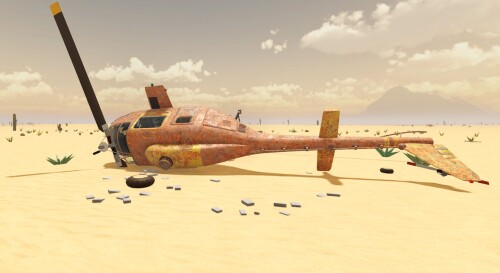
Picking a direction: fly building to building
Once airborne, you don't need a grand plan — you need a target. Every building you can see is a potential resupply stop, and the pattern below is how players actually cross the desert. If takeoffs are still shaky, the takeoff and flying walkthrough covers the flying itself.
Checklist
- Take off and climb
Go full throttle, get airborne and climb until you have a clear view of the terrain.
- Pick the next visible building
Gas stations are the classic target, but any structure out in the sand can hold loot and zombies.
- Land close to it
You can only loot a building you land next to. If you stop too far out, start the engine again and reposition nearer before getting out.
- Stop the engine and clear the zombies
Shut the plane down before you explore, and deal with the building's zombies before you start looting.
- Loot the building
Take the kerosene canisters, water, food and medical supplies you need and load them onto the plane.
- Take off and repeat
Pick the next building you can see. Zombies respawn over time, so a cleared building will not stay clear.
That respawn rule sets your pace: a building you have emptied is a stop, not a base. Land, clear, loot, leave — and let the next visible structure choose your heading for you.
Deciding which place to head toward next
Once the loop is second nature, the direction question turns into a series of small calls that your gauges and cargo make for you:
Decision guide
Keep the loop going and the question answers itself: every landing is chosen by what your fuel gauge and cargo demand, and every takeoff hands you a fresh skyline of targets. For more depth on each piece, the longest flight guide covers keeping the tank and cargo alive between stops, the scavenging guide covers what buildings give up, and the locations guide looks at the places themselves.
Related Guides
Locations Guide
Every desert place you can fly to, from gas stations to the small airport, and what is worth doing at each.
Longest Flight
Run the gas-station loop for kerosene, water and food, land gently and leave before zombies respawn.
How to Take Off and Fly
Taxi to the road, go full throttle and fly the radar road to your next stop to land, loot and refuel.